
Patch coverage 1.0 through 1.0.5. These builds and player reports are from July 10, 2026 onward. Video links point to chapters or examples. Exact build numbers, placement and world settings can vary. Check the 1.0 patch history.
Fix a blocked full wall
If a full wall says it overlaps an object even though the slot looks clear, try an angled wall in that same slot. In an August Sunreach thread, the player who asked for help confirmed the swap worked.
- Select a diagonal or triangular wall. Flip its orientation if the first half hits the obstruction.
- Build the angled wall in the slot where you want the full wall.
- Select the full wall. Enter Replace Mode using the on-screen prompt. One PC demonstration uses 4.
- Target the angled wall and confirm the replacement. Check that any doorway still opens and the route past it is clear.
August 12 confirmation · August 27 demonstration · EPICTREASURE Replace Mode chapter · Jay Dunna triangle replacements
- Reverse the placement order. If placing piece A after B gives an overlap error, try placing A first in a spare bay. July players reported that the reverse order can let both pieces fit. July 18 tips
- Layer two wall styles in one opening. Place two complementary diagonal walls in the same square. In Replace Mode, swap each half to a different full entrance or wall. One builder combined a stone entrance with Japanese trim. Try one decorative bay before copying it. July 22 build and explanation
Stairs, slopes and landings
EPICTREASURE · steps into the ground · Stairs and second-story landings
- Snap stairs downhill from the top. Select stairs and aim at the outside edge of the upper foundation. Hold the build prompt that changes the stair alignment and move your aim down the edge until the stairs point into the slope. Players report Alt on PC, LT on Xbox and L2 on PlayStation. Follow your prompt if you remapped the control. July 13 PC and PlayStation reports · August 3 Xbox report
- Give the stairs a square edge to snap to. If you are aiming at the long diagonal edge of a triangular foundation, temporarily use a square piece for the stair connection. The original bridge builder got the preview to work after taking out the triangle and aiming down the edge. August 5 bridge fix
- Build the walls before boxing in a staircase. If the stair model blocks the wall slots alongside it, try placing the side walls first and snapping the stairs in between. Start with one stair segment to check that the route stays wide enough for your Pals. July 16 placement report
- Place the stairs before the landing that blocks them. For a two-tier build, take out the obstructing upper foundation while the test bay is empty, snap the stairs from the lower foundation and then try adding the upper landing. A September thread reports limits on half-height landings that share the same grid, so preview the finished height before extending the plaza. September 13 stairs discussion
- Try sloped roof pieces for a ramp at a corner. A bridge builder suggested using inverted triangular roof pieces where the staircase has no suitable snap point. Preview a short run and walk it with the workers you expect to use it before relying on it as their only route. August 5 bridge discussion
- Carry one wall height across a slope. Start a defensive wall where the terrain lets you set the top at the height you want. Snap successive segments from that first piece as you move uphill. One builder got a level top line this way, with the higher ground hiding more of the wall. August 16 build photos
Foundations, roofs and supports
EPICTREASURE · foundation height · Pillar support · RageGamingVideos · offshore build
- Lay out the floor and stairs before the rooms. Start from a shared foundation grid. Sketch the footprint and reserve a landing at every level while it is easy to move pieces. Fit your tallest station before you close the roof. July 28 layout advice
- Set the first foundation height with your aim. Move your aim up or out while the first foundation is in preview and watch the height change before confirming. If you want space you can walk under, players suggest using a floor piece on pillars instead of a solid raised foundation. August 20 foundation demonstration
- Check the ground footprint when an upper floor refuses to extend. Players found that upper pieces can draw support from foundations below when the structure still has a connected route down. Add a foundation under the problem area and keep the connected supports in place while testing one new tile. August 16 support discussion
- Use a wall to give a sloped roof a snap point. In an empty test bay, put up a wall, attach the roof and add a pillar connected to the structure below. Leave the wall in place until the roof has another support. One player reported the roof stayed on the pillar, while another lost their roof after removing the temporary wall. September 7 pillar workaround · August 17 roof failure report
- Test a foundation swap on an empty corner first. Replace Mode can upgrade materials in place. Players also reported losing attached railings and walls during swaps, especially around triangular pieces. Try the exact old and new pieces on a spare bay before changing anything that holds your tower or Palbox. July 24 collapse reports
- Set the first water foundation before placing the Palbox. Craft the Aquatic Construction Kit and try one foundation at the water site. A July builder placed the Palbox on that foundation and extended the deck from there. The 1.0.3 patch moved the kit unlock to level 23. July 16 water base · 1.0.3 patch notes
Fit more into the base
RageGamingVideos · double extractors · Japanese 1.0 guide · floating storage and hauling
- Hide the back of an Expedition Station in a hillside. Preview the station at the perimeter and rotate the bulky rock toward the slope. Keep its interaction point on the side you can reach. Test dispatch and reward collection before building around it. October 3–8 build photos and replies
- Test a bench under an Expedition Station that clips through the deck. An October builder left a single bench under the station to raise it relative to a raised base built over ore nodes. Test the placement preview with the bench in place before filling the surrounding floor. October 3 bench photo and explanation
- Place oversized stations at the edge. Try moving a Breeding Farm or Ranch toward the boundary so the middle of the base stays open. Check placement and one production cycle, especially where Ranch drops land and whether a hauler picks them up. The amount of a structure that can extend beyond the circle varies by station and placement. July 18 edge-placement report
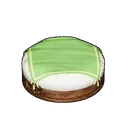
- Use a lamp as the alignment reference for crop stacks. Place a Retro Street Lamp in reach of the plot and use it as the alignment reference in place of a wall. Keep the Japanese Floor Cushion between plots. Start with the two-layer walkthrough and verify both harvests. July 26 video and steps
- Put crop stacks under glass for a cleaner courtyard. One builder set stacked plots into a recess between raised foundations and used glass floor pieces to cover the gap. Build a sample corner first and confirm planting, watering, gathering and hauling before closing the whole courtyard. September 23–24 recessed farm report
- Reserve space for a second extractor on an oil node. A September Sunlit Isle build shows two regular extractors per node. Leave both sides of the node clear and follow the placement and power checks before duplicating it. September 24 build photos
- Test a single tucked-away chest before building a hidden storeroom. Players report that some haulers deposit into chests they cannot physically reach. Filter one test chest to a specific product and check where that product goes through a full cycle and after a reload. Keep a reachable chest as a fallback. September 23 storage discussion
Build around Pal paths
- Test the staircase with your biggest worker. Players have run one-tile stairs successfully, while others needed more width and headroom. For large Pals, start with generous turns and about three wall heights of clearance where you have room. Watch the Pal reach the upper station and return before enclosing the stairwell. October 21 clearance discussion · November 5 farm troubleshooting
- Isolate the upstairs job before rebuilding. If nobody works the upstairs plots, assign a worker to one upper plot and check that it has time to leave the lower floor. If the worker stalls on the way up, test the landing and clearance first. November 5 farm troubleshooting
- Keep player tools by the Palbox and worker storage by the output. Put the Monitoring Stand and Item Retrieval Machine near where you arrive. Leave the deployment area open and put filtered chests close to the stations that fill them. August 29 layout walkthrough · November 3 storage and pathing
Trim, glass and curved builds
EPICTREASURE · black glass and painting
- Use furniture as a height guide for decorative trim. A July builder stacked a bench and stool to position fences near the tops of walls. Try one railing or fence as trim first, and check it after removing any temporary piece. July 22 trim example
- Paint glass black for a clearer view. Try black on one Glass Wall and compare it with white. Players report that black looks more transparent and white looks frosted. Compare at the time of day when you use the room. August 22 comparison
- Build a short pillar rotation mock-up for a spiral. Copy the central pillar pattern in the reference photos, then try snapping two offset sections to it before repeating the pattern up a tower. The builder used no mods and turned structure deterioration off because some pieces extended outside the base. July 22 pillar reference photos
Video workshop and stacking setups
Post-launch tutorials show several different supports. Start with two pieces in a spare bay. Check that each piece survives a reload and that the station still works before copying the stack.
| What to stack | Support in the tutorial |
|---|---|
| Ancient Furnace | Fireplace |
| Ancient Pal Bed | Japanese Floor Cushion |
| Ancient Farm | Fireplace and Wooden Bench |
| Ancient Hot Spring | Three Fireplaces |
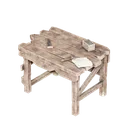
| Metal Chest | Tidy Square Table |
| Advanced Chest | Wooden Bench scaffold |
RageGamingVideos · facility stacks · Chest stacks · Written walkthrough with screenshots
- Line up a chest wall with a temporary fence. Lay out a straight fence as a reference, use alignment to place the chests, then remove one guide segment and check that the row remains accessible. August 4 chest chapter
- Stack two Breeding Farms before building a full hatchery tower. Put a pair on each test level and confirm both farms lay eggs. Fusion Thunder also describes fitting a Ranch inside a farm, so try that with a single Ranch first and check its drops and hauler route. July 30 Breeding Farm tutorial
- Assign Ranch workers after the stack is in place. Use the Monitoring Stand after placing the pens. Watch one producer at each level and verify where the drops land before adding the rest of the crew. TR4MUNT4N4 · stacked Ranch assignments
- Cover a player doorway with a banner or wall ivy. Try the Rayne Syndicate Vertical Banner or a wall ivy decoration across a single opening. Walk through in both directions before repeating it. Test Pal routes separately if it leads to a workstation. Chaos Bear Gaming doorway example
- Use a side table to center two railings. Preview an Ironwood Side Table at the middle of the diagonal edge. Align short fence runs on either side and check the spacing after removing the table. Diagonal railing walkthrough
- Try padding a sign label with spaces. If a short label looks too large, add spaces to both sides and compare the sign before replacing it. August 4 sign chapter
- Color-code the workshop floor by task. Pick a different floor color for storage, cooking and smelting so you can find them quickly when you return. EPICTREASURE’s Xbox build uses this as part of the layout. July 27 storage and workshop colors
Pro tips for this page
PROTIP (a tip from players)
Line up builds before placing them. Use Axis Alignment to line up pieces. Use Replace Mode to swap a compatible wall or foundation without dismantling the whole row. Follow the build-mode button hints for your controls.
PROTIP (a tip from players)
Reverse the build order when pieces almost fit. In 1.0, players have fit overlapping pieces by placing them in the opposite order. Try it on two empty structures before moving staffed stations, then check that Pals can reach the finished layout.
PROTIP (a tip from players)
Favorite the pieces you keep swapping between. Favorite your foundation, wall, stairs and support furniture in the Build menu. Keep the handful of pieces for the current project together so you can alternate between them quickly.
Next up
Last checked November 9, 2026. Unofficial fan guide, not made or endorsed by Pocketpair.